
Spot the Difference: How to Compare Your ServiceNow Instances Side by Side
ServiceNow architects often need to keep track of many different instances. Identifying differences in their schema and data can be difficult, and subtle discrepancies are easy to miss. Usually that means logging into each instance and comparing tables by hand, which is slow and time-consuming.
With Precision Bridge v10.4, you can compare instances directly.
How it works
Precision Bridge includes a query tool (pbSQL) for looking up data in connected systems. From v10.4, a single query can pull data from two or more instances at once and show where they differ. For example, you can ask which plugins are on different versions in each instance and get back a list of just those plugins.
Queries are written in SQL, so this is aimed at technical users. Once a query is written, it can be saved and run again at any time.
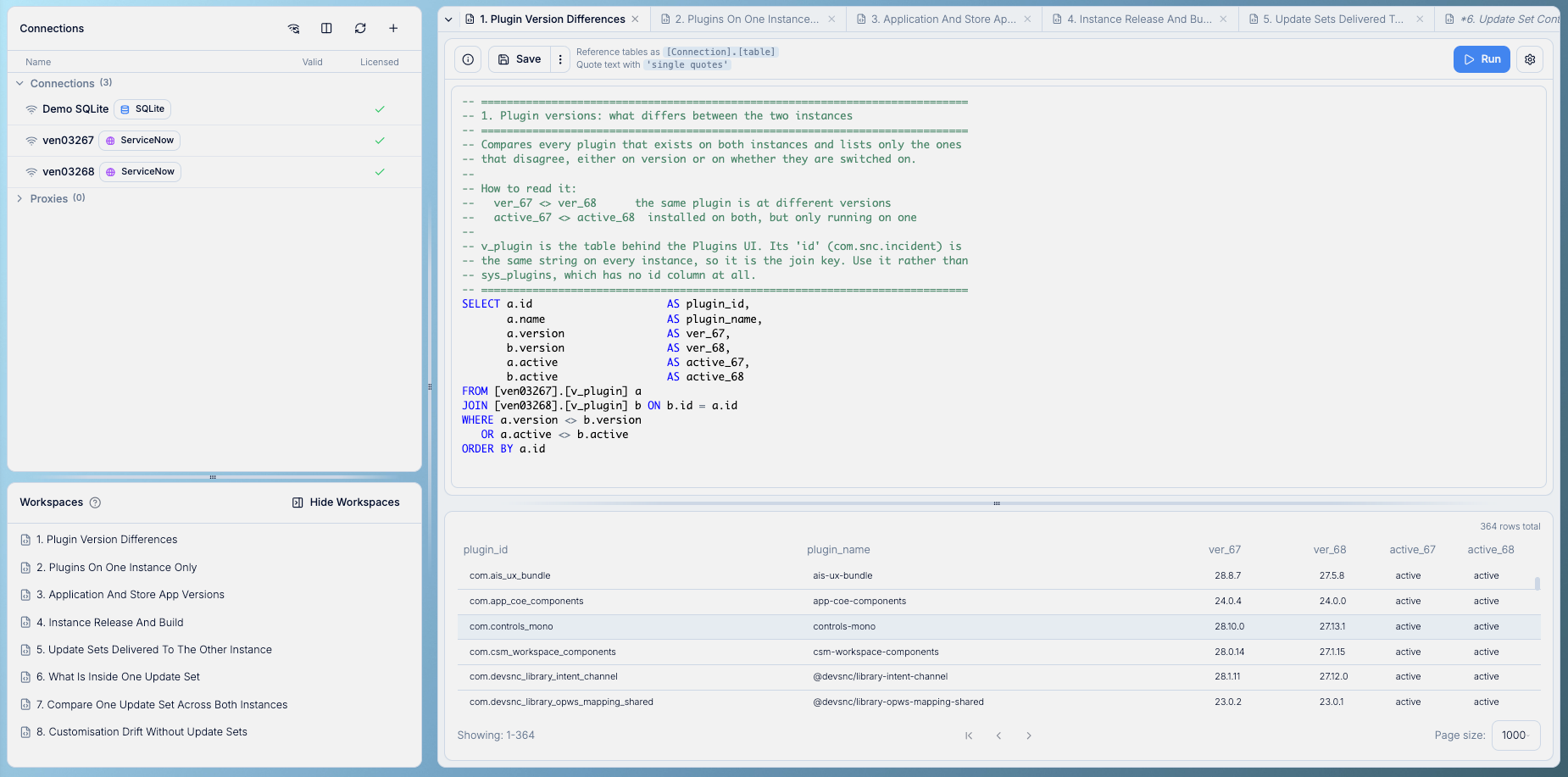
What you can compare
We’ve written some example queries comparing two ServiceNow instances. They show:
Plugins that are on different versions, or switched on in one instance but not the other
Plugins and apps that only exist on one instance
The ServiceNow release each instance is running
Which update sets have been moved to the other instance, and how one update set compares across both
Customizations that differ between instances, including changes made outside of update sets
The last example is useful because update sets only show what was packaged and moved. Comparing the records themselves also picks up changes that were made directly on one instance.
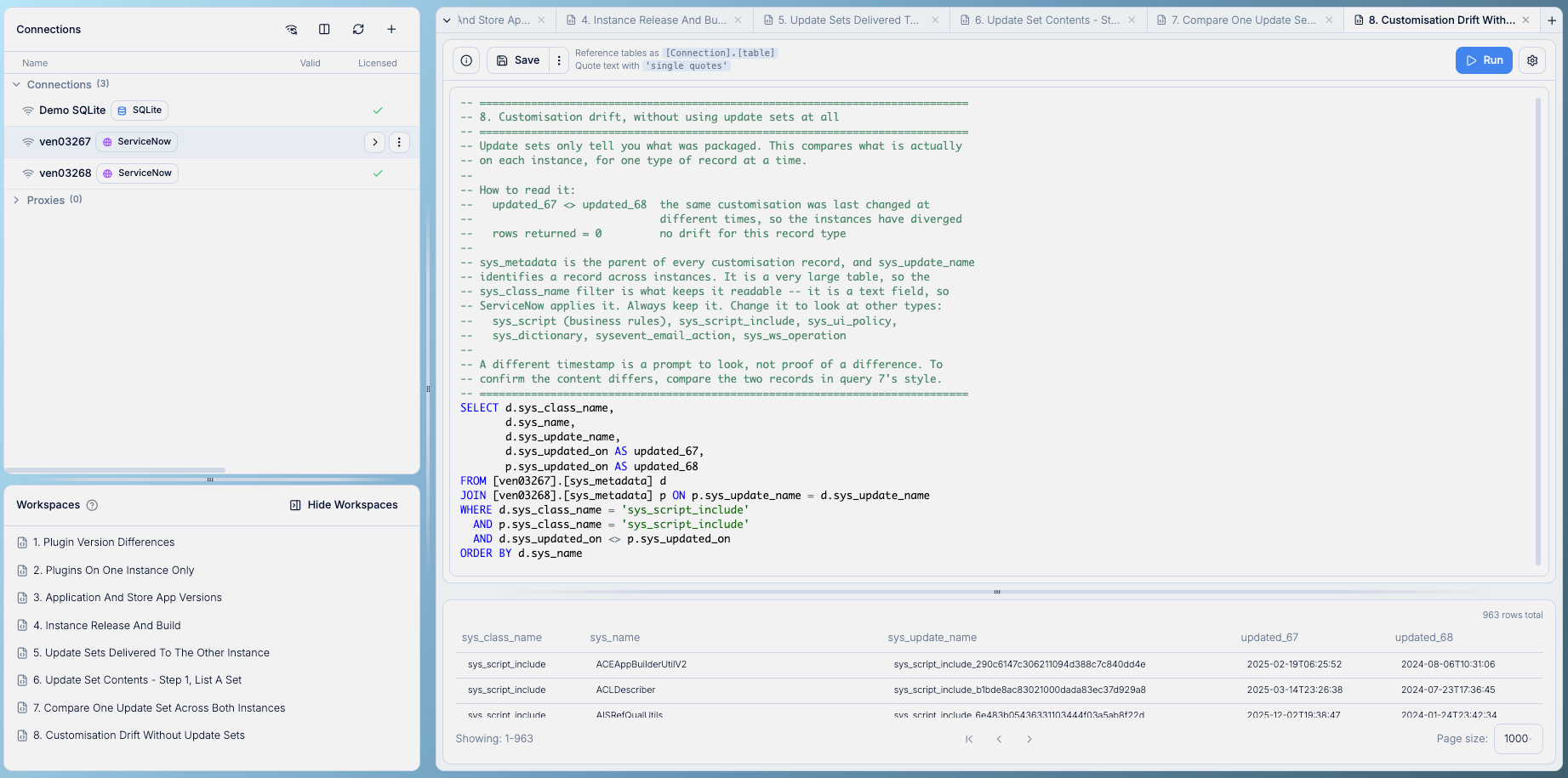
Queries can also include more than two instances, as well as other connections such as databases, APIs, and CSV files.
When to use it
To keep development, test, and production instances in line
To keep track of what’s on each instance, even when no project is running
Before a migration, to see what’s in the source instance, and afterward to check the target matches
When consolidating instances
See it live
We’ll demo this at our upcoming webinar, How to Validate Your ITSM Data Quality, on November 25, 2026 at 11 AM EST, followed by an open Q&A.
Click the button below to register: